
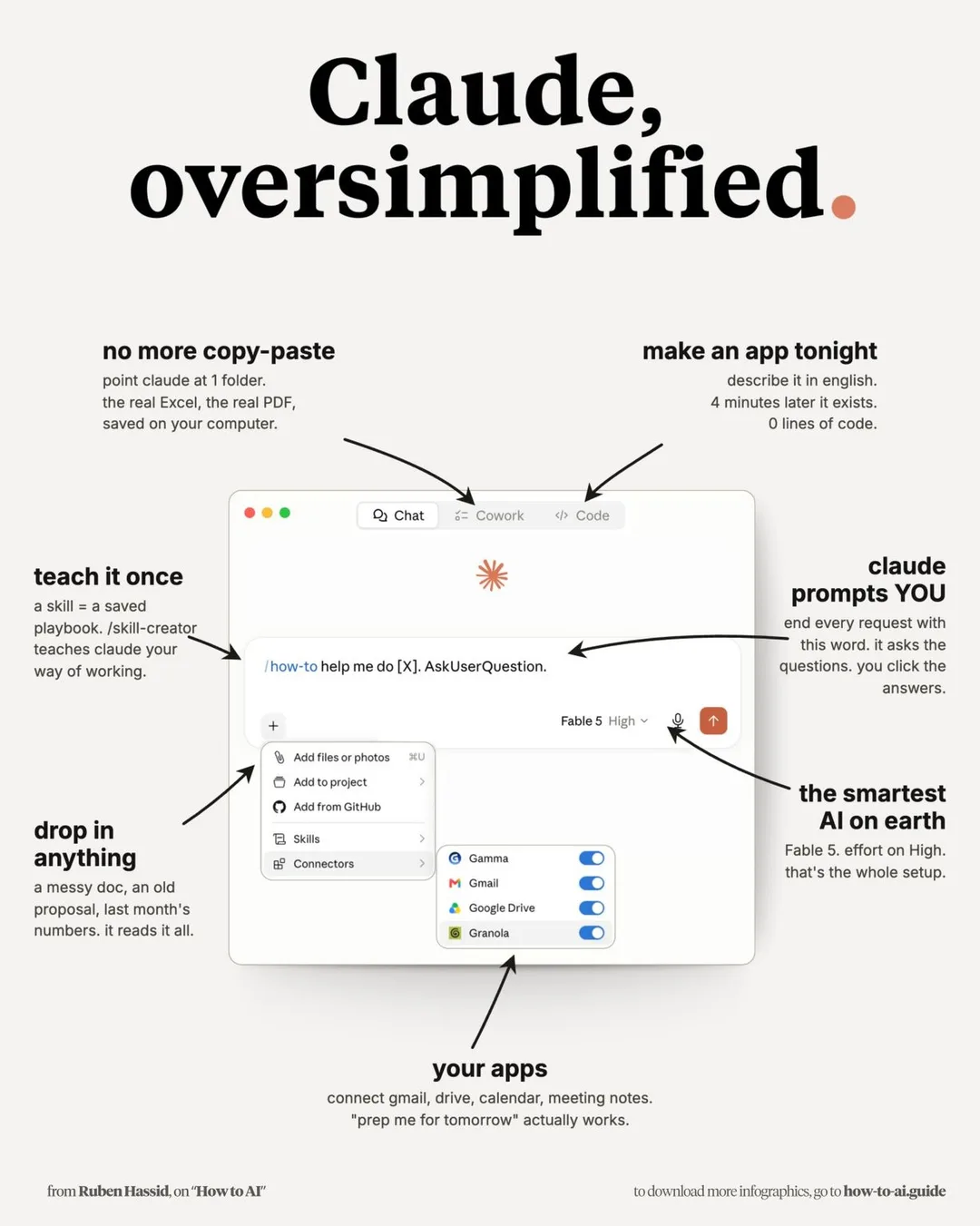
“What the hell is Claude?” That’s probably the question many people ask the first time they hear about it. I came across this post by Ruben Hassid (“Teach Claude to Your Mom in 10 Minutes”), and I thought it was one of the clearest explanations I’ve seen. If you’re just getting started with Claude — or you’re trying to explain AI to your parents, colleagues, or anyone who’s not technical — this image is incredibly useful. Some of the features that stood out to me: ✅ No more copy-paste Point Claude to a folder with your PDFs, Excel files, and documents. It works directly with your files. ✅ Build apps with plain English Describe what you want, and Claude can generate a working application without writing code. ✅ Projects Keep all your files together in one workspace so Claude understands the context across multiple documents. ✅ Skills Save your best prompts as reusable commands. Instead of rewriting the same prompt every time, you can run it with a single click. ✅ Connect your apps Connect Gmail, Google Drive, Calendar, meeting notes, and more. Suddenly, prompts like “Prepare me for tomorrow’s meeting” become genuinely useful. ✅ Voice input Don’t feel like typing? Just talk to Claude. Sometimes speaking is much faster than writing. The biggest takeaway for me wasn’t a specific feature. It was how simple this infographic makes Claude feel. Sometimes the biggest barrier to AI isn’t the technology, it’s explaining where to start. This does a great job of lowering that barrier. Thanks @Ruben Hassid for this amazing graphic. Did you already know about all these features, or did any of them surprise you? Ricardo #ClaudeAI #ArtificialIntelligence #GenerativeAI #Productivity #AI FutureOfWork Automation TechTools Innovation DigitalTransformation